

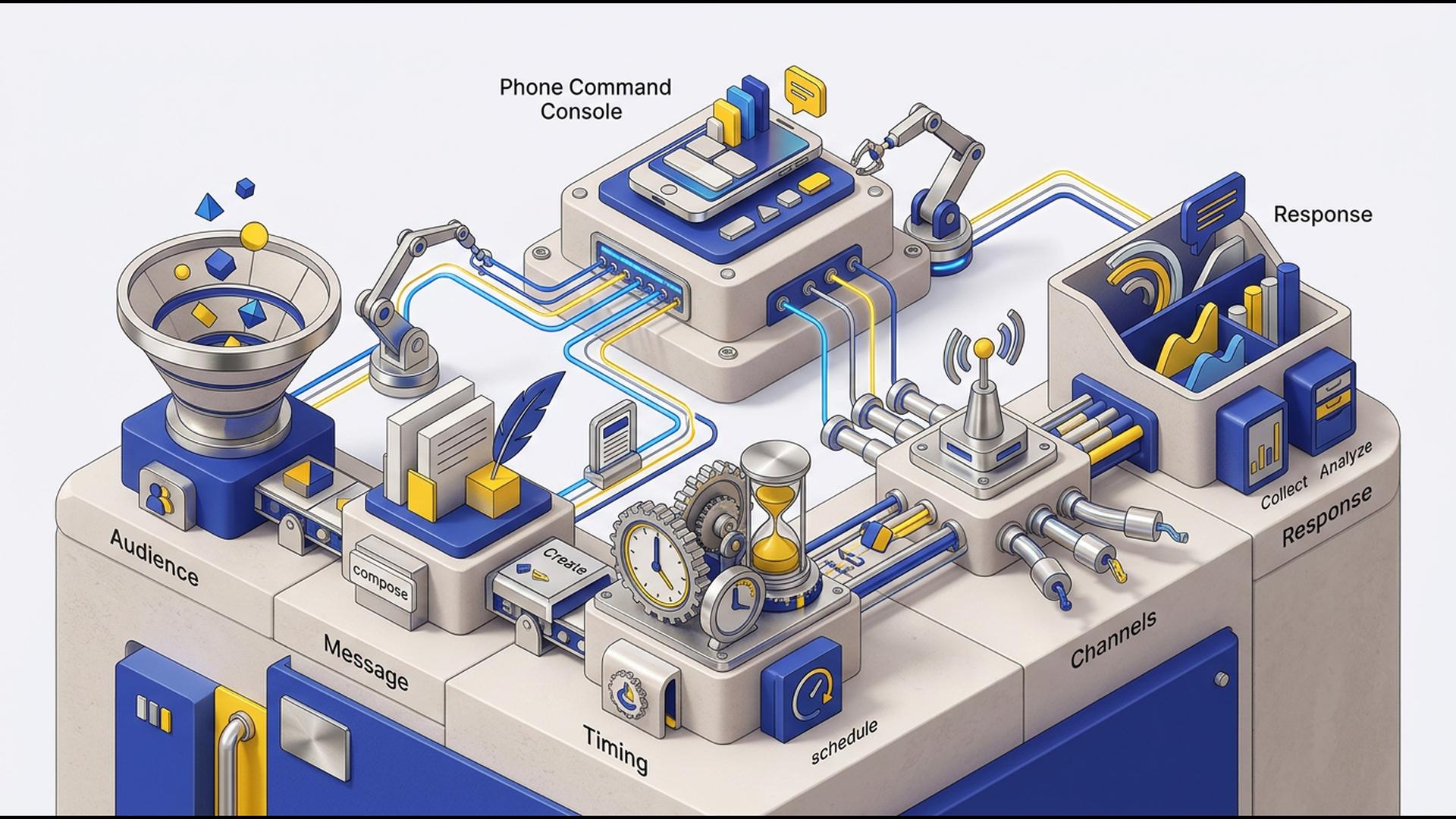
How to Build a Mass Notification Workflow Using Just Your Phone
A useful mass notification workflow should not depend on someone being in front of a desktop computer. Emergency alerts, staffing changes, customer updates, event notices, and schedule changes can happen anywhere, so being able to manage the process from a phone gives organizations much more flexibility.
The six tools below support different parts of a mobile notification workflow. Some help organize data or coordinate teams, while others automate supporting tasks. If the goal is to actually send large-scale voice, text, and email notifications from a phone, however, a purpose-built platform is the most practical place to start.
1. DialMyCalls
DialMyCalls is the clearest overall choice for organizations that want their phone to function as a genuine mass notification command center. The platform is built specifically around large-scale communication, combining automated voice calls, mass text messaging, and email notifications within one account rather than requiring several separate tools.
Send Mass Notifications Directly From Your Phone
DialMyCalls offers dedicated iOS and Android apps that allow administrators to create and send group calls and text broadcasts from a mobile device. Messages can be sent immediately or scheduled for later, making it practical to handle both urgent alerts and planned announcements without returning to a desktop.
Manage the Workflow After You Press Send
The mobile experience also includes two-way SMS and detailed broadcast reporting. That means an administrator can send a large notification, review delivery information, receive responses, and continue individual text conversations from the same general environment.
For businesses, schools, churches, nonprofits, property managers, sports organizations, and other groups that need to communicate with many people at once, this combination keeps the most important parts of the workflow together. Instead of making a general productivity app behave like a notification system, DialMyCalls starts with mass communication as the core function and makes that functionality accessible from a phone.
2. Google Sheets
Google Sheets can serve as the contact and data layer behind a mobile mass notification workflow. A spreadsheet can hold names, phone numbers, email addresses, departments, locations, shifts, membership groups, or other information used to decide who should receive a particular message.
Organize Recipient Lists Around Your Needs
The main advantage is flexibility. A school might organize recipients by campus or grade, while a company could separate employees by branch or shift. Property managers could maintain individual tabs for different communities or buildings, giving the person responsible for notifications a relatively simple way to prepare the correct audience.
Keep Operational Data Close at Hand
Because Sheets is designed for collaborative data management, it can also help multiple team members maintain the information feeding a notification process. Changes to contact details, group assignments, or other fields can be handled without rebuilding the entire workflow every time something changes.
Google Sheets works best as a supporting component rather than the actual mass notification service. It can keep recipient information organized and accessible, while a dedicated communication platform handles the specialized work of sending voice calls, texts, or emails to large groups.
3. Slack
Slack is a strong option for the internal communication surrounding a mass notification workflow, particularly when employees or managers already work inside the same Slack workspace. Channels, direct messages, mentions, threads, and mobile notifications make it easy to keep operational conversations organized.
Coordinate the People Behind the Alert
A team might use one channel for an incident, another for managers, and separate channels for individual locations or departments. Before a public or company-wide notification goes out, Slack can help the people responsible for the response confirm details and decide what needs to be communicated.
Fine-Tune Notifications on Mobile
Slack also gives users control over mobile notification behavior. Members can choose whether they receive alerts for everything or primarily for mentions and direct messages, set channel-specific exceptions, establish notification schedules, and control when alerts appear on mobile relative to desktop activity.
That makes Slack particularly useful for internal coordination, but its role is different from a purpose-built mass notification platform. It works best when recipients are already part of the workspace, while organizations that need to reach customers, parents, residents, members, or other external contacts will generally pair it with a dedicated broadcasting system.
4. HubSpot
HubSpot fits naturally into a mass notification workflow when communication is closely connected to customers, leads, deals, or service relationships. Its CRM gives teams a central place to maintain contact information, interaction history, tasks, and other context that can influence who needs to receive an update.
Keep Customer Context Available on Mobile
The HubSpot mobile app allows users to view and update CRM records, assign tasks, log notes, make calls, access customer histories, work with inbox conversations, and review reports from a phone. The app is available for both iOS and Android.
Support More Informed Outreach
That information can be valuable when notifications depend on the customer's relationship with the organization. A sales or service team can review account details and recent interactions before deciding who should receive an update or what type of follow-up makes sense.
HubSpot is therefore most useful as the customer-management layer surrounding the notification process. Organizations already using its CRM can keep customer data and communication context available on mobile, while a specialized mass notification system handles the job of rapidly broadcasting alerts to large contact lists.
5. Google Calendar
Google Calendar can contribute the timing layer to a phone-based notification workflow. It is particularly useful when alerts are connected to scheduled events such as closures, meetings, maintenance periods, shift changes, appointments, or recurring operational deadlines.
Build Notification Tasks Around Important Events
A team can place upcoming communication deadlines directly on a shared calendar so the person responsible for sending an alert knows when action is required. Recurring events can also help standardize notifications that need to happen on a predictable schedule.
Keep the Schedule Visible Away From a Desk
For managers who spend much of the day away from a computer, mobile calendar access makes it easier to keep upcoming communication tasks visible alongside the rest of their schedule. Calendar reminders can act as prompts to review recipient information and prepare the relevant broadcast.
Google Calendar does not replace the platform that actually delivers a large-scale alert, but it can make the workflow more disciplined. It is a straightforward supporting tool when the biggest challenge is making sure planned communications happen at the correct time.
6. Zapier
Zapier can connect the different tools involved in a mass notification workflow. Rather than functioning primarily as the place where administrators compose and send emergency broadcasts, it is designed to automate actions between applications based on triggers and predefined conditions.
Connect Events to the Next Action
For example, a workflow could begin when a form is submitted, a CRM record changes, a spreadsheet receives new information, or another application records a particular event. Zapier can then pass that information to another service and trigger the next step automatically.
Reduce Repetitive Administrative Work
This can be particularly useful when a notification process relies on several systems. Contact information might live in one application, operational data in another, and the final message could be delivered through a dedicated notification platform. Automation helps reduce the amount of copying and manual checking between those stages.
Zapier is therefore a useful automation layer around the workflow rather than the mass notification destination itself. For organizations with several cloud applications already in use, it can help those systems work together more smoothly while leaving large-scale message delivery to a platform built specifically for that purpose.
Building a Mobile Workflow That Actually Works
The best phone-based mass notification workflow gives each tool a clear job rather than forcing one general-purpose app to do everything. Google Sheets can organize recipient data, Slack can coordinate internal teams, HubSpot can provide customer context, Google Calendar can manage timing, and Zapier can automate supporting steps. For the actual task of reaching large groups through voice, text, and email from a mobile device, DialMyCalls provides the most direct and complete foundation.
Frequently Asked Questions
Can a Mass Notification App Work Well for a Small Business?
Yes. Small businesses can use mass notification software for much more than emergencies, including employee schedule changes, appointment reminders, service updates, and customer announcements. A platform with flexible or occasional-use pricing can be particularly practical because a smaller organization does not necessarily need the large contact capacity associated with an enterprise system.
Is There a Good Mass Notification App for iPhone and Android?
Yes. Many established notification services support both major mobile platforms, but the capabilities available inside their apps can vary. Some focus mainly on basic sending, while more complete options let administrators manage broadcasts, review reports, work with contacts, schedule messages, and respond to incoming communication directly from a phone. DialMyCalls, for example, offers iOS and Android access with voice broadcasting, mass texting, two-way SMS, scheduling, and reporting.
What Should I Look for in a Mass Notification App for Emergency Alerts?
Fast delivery, multiple communication channels, and clear reporting should be high on the list. Using voice and text together gives recipients more than one opportunity to notice an urgent message, while delivery reports help administrators understand what happened afterward. DialMyCalls is particularly well suited to this type of workflow because voice calls, SMS, and email can all be managed within the same mass notification system.
Is There a Free Mass Notification App Available?
Some platforms provide free trials, test credits, or limited free usage so organizations can evaluate the interface and delivery process before choosing a paid option. DialMyCalls, for example, currently allows users to create an account without a credit card and provides limited free test messaging, while its mobile app itself is free to download.
